
Installation
Creative Face Studio watch faces are installed through Google Play on compatible Wear OS watches.
Before installation, make sure your watch is connected to your phone and uses the same Google account that was used for the purchase.
Method 1 — Companion App
Some Creative Face Studio watch faces include a companion app for your phone.
The companion app is an installation helper. Open it and use the installation button shown on the screen.
- Install the companion app on your phone.
- Open the app.
- Tap Install on watch.
- Continue the installation on your connected watch.
- Wait a few minutes while Google Play syncs the installation.
CFS102 Big Time
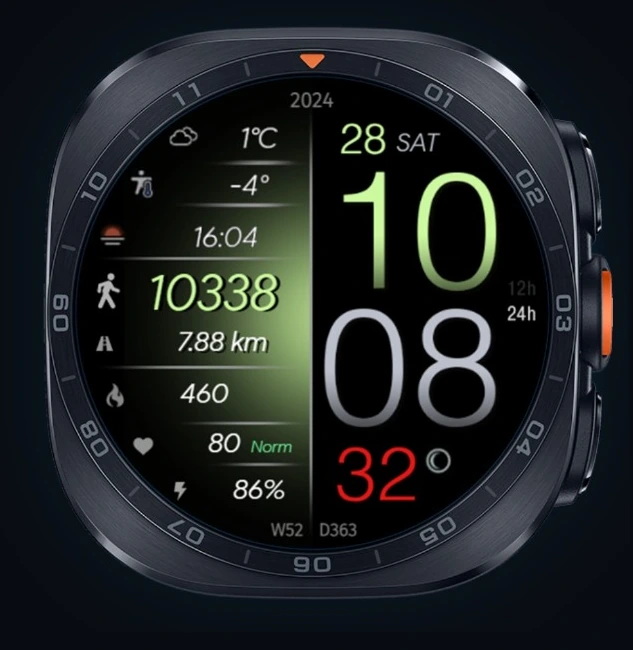
Thank you for your purchase!
Tap the button below to install the watch face on your Wear OS watch.
Method 2 — Google Play
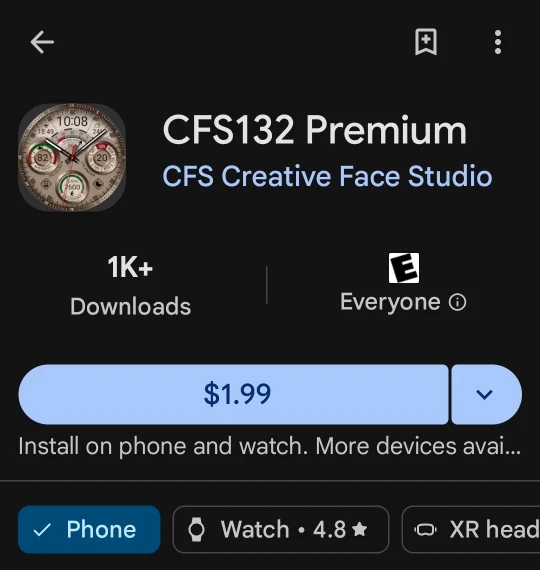
- Open the watch face page in Google Play.
- Tap the purchase or install button.
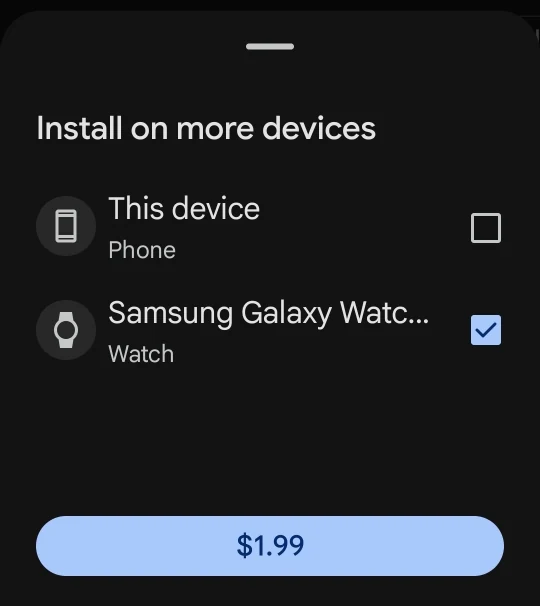
- If Google Play asks you to choose a device, select your Wear OS watch.
- Wait until the installation is complete.
- After installation, open the watch face list on your watch and select the installed watch face.
Method 3 — Directly from the Watch
If the watch face does not appear after installing it from your phone:
- Open Google Play directly on your watch.
- Search for the purchased watch face.
- Tap Install.
- After installation, select it from the watch face list.
If the Watch Face Does Not Appear
Sometimes Google Play installs watch faces on the watch with a delay.
- Check the internet connection on your phone and watch.
- Make sure the watch is connected to your phone.
- Keep Google Play open for 1–2 minutes.
- Restart the watch.
- Open Google Play on the watch and try installing again.
- Make sure the same Google account is used on both the phone and the watch.
If Google Play Asks You to Pay Again
This is usually caused by a delay in purchase synchronization between your phone, watch, and Google Play.
Make sure the phone and watch use the same Google account that was used for the purchase.
You can also open your Google Play purchase history, find the purchased watch face, and select your watch as the target device.
Usually, you do not need to purchase the watch face again if it has already been bought with the same Google account.
Important
Purchase, installation, and synchronization are fully handled by Google Play. The developer cannot control Google Play servers, installation speed, or synchronization between phone and watch.
If the problem continues, please contact us through the Contacts page.